How to Avoid Late Payment Fees with Bill Reminders
· Updated
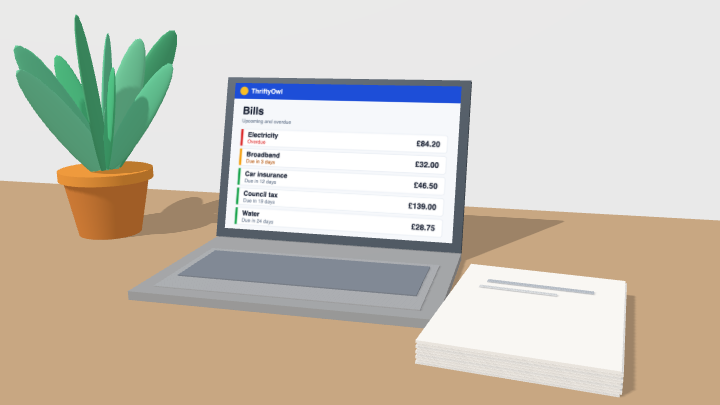
A late payment fee is one of the most avoidable costs in household finance. You had the money. You just didn't have it in the right place on the right day, or you didn't see the bill coming until it had already landed. Both problems have the same fix: a small, repeatable system that reminds you what's due, shows you whether the money is there, and gives you a heads-up before a bill arrives.
Here's how to build that system with ThriftyOwl, using three features that work together: bill reminders, the budget tracker, and the weekly Look-a-head email.
Why do late payment fees catch people out?
Late payment fees catch people out because bills are hard to track, not because people are careless. They arrive at different times, come out of different accounts, and bills arrive at different times, come out of different accounts, and don't line up neatly with payday. Your broadband goes out on the 4th, the energy bill on the 18th, the car insurance on the 27th, and your wages land on the last working day of the month. Nothing about that sequence is designed to be easy to track.
Relying on memory, a paper calendar, or a mental note means you're always one busy week away from a charge. A system that runs quietly in the background doesn't have bad weeks.
How do you stop late payment fees for good?
Combine three things: a reminder for every recurring bill, a check that the money is there, and a weekly look at what's coming.
1. Set up a bill reminder for every recurring payment
Start by listing every payment that repeats: rent or mortgage, energy, water, broadband, mobile, insurance, subscriptions, loan repayments, childcare. For each one, add a bill reminder in ThriftyOwl with the amount and the due date.
Set the reminder to alert you a few days before the due date, not on the day itself. That gap is what gives you time to move money across or check a balance. A reminder that fires on the morning a payment is due is just a notification that you're about to be charged.
Once a reminder is saved, it repeats. You set each one up once and it keeps working, month after month, without you remembering to reset anything.
2. Let the budget tracker confirm the money is actually there
A reminder tells you a bill is coming. It doesn't tell you whether the account it comes from will have enough in it on the day. That's the second half of the problem, and it's where the budget tracker earns its place.
Because ThriftyOwl pulls your accounts into one view, you can see your balance alongside the bills you've scheduled. When a reminder fires, you're not guessing. You can look at the account, see what's already committed that month, and know whether the bill is covered or whether you need to move money across from savings.
This is also how you catch the quiet problem: several bills landing within a few days of each other. Individually they're fine. Together they can drain an account before the last one clears. The tracker shows you that cluster before it bites.
3. Read your weekly Look-a-head email
The third piece is the one that stops surprises. Each week, your Look-a-head email tells you which bills are about to land in your account. It's a short, plain summary of what's coming, so you can plan the week ahead instead of reacting to it.
Read it when it arrives. It takes a minute. If a bill is larger than usual, or two land in the same week, you'll know while you still have room to do something about it. If everything is covered, you get the reassurance of knowing that too, and you can stop carrying the worry around.
How do you plan bills around your pay cycle?
Line your bills up against the day money actually arrives, not the calendar month, because late fees often come down to timing rather than total spending. If most of your bills fall before payday, the account is at its emptiest exactly when the payments go out.
Use the budget tracker to line bills up against when money actually arrives. Where you can, move a due date to just after payday. Most providers will happily shift a direct debit date, and it's a one-off phone call or app change that removes a recurring pinch point.
Where you can't move a date, the Look-a-head email does the warning work for you: you'll see the gap coming and can set money aside in advance.
What should you do when a bill lands early?
Check your balance and your Look-a-head email, then move money if needed. Occasionally a bill will clear earlier than expected, or a new one will appear mid-cycle, and this is exactly the moment the system is designed for. The reminder keeps the original date on your radar, the tracker shows you the real balance, and if you've already read your Look-a-head email, you know whether that early payment has pushed anything else close to the edge.
Can you set it up once and let it run?
Yes, because none of it depends on you being organised next month. You do the work once:
- Add a bill reminder for every recurring payment.
- Check the budget tracker when a reminder fires, so you know the money is standing by.
- Read the weekly Look-a-head email and plan the week from it.
After that, the system holds the dates and the numbers, and you just respond to what it shows you. No late payment fees, no awkward calls to a provider, and no lying awake wondering whether something is about to bounce.
Take control of your household finances, from anywhere
ThriftyOwl is a free, cloud-based home for your money, built for people who want one clear place to manage bills and budgets across phone, tablet, and desktop. Your accounts, reminders, and tracker stay in sync wherever you are, your data is protected with bank-grade security, and there are no ads, ever.
Set up your first bill reminder this week, then let the tracker and your Look-a-head email take it from there. It's the simplest way to make sure the money is in the account on the day it's needed.
Sources and further reading
- Direct Debit Guarantee, directdebit.co.uk - what you are entitled to if a Direct Debit is taken early, late or for the wrong amount.
- Citizens Advice, "If you're struggling to pay your mobile phone, internet or TV bill" - late fees and contacting your provider before you miss a payment.
- Citizens Advice, "The costs and charges of credit cards" - how late charges on credit cards work.